(and some tips on how to do it right)

Folks are taking some wild risks with AI right now
From trusting their entire web strategy to AI, to totally vibe-coding a website, there’s a lot of AI involvement happening when it comes to websites. But at what cost?
With the rapid growth in AI, it seems everyone is using AI for everything these days. In this post, I’ll give some examples of mistakes that business owners are making when using AI for their websites, some risks to look out for, and some tips on how to avoid making those mistakes.
Jump to:
Understanding how AI works and what not to do
What is AI really doing when it anwsers your prompt?

Before we get into the examples and tips, it’s worth understanding what actually happens when you enter a prompt into an AI tool. AI is not thinking about an answer to your question, it is generating a response based on the patterns in the AI’s training data. The training data includes textbooks and other reference materials, websites, internet forums, blogs, social media and human trainer feedback (note that some of these sources are human opinion and can be biased). The response that you get from AI is therefore looking at the pattern of words that you have input into it, and trying to identify the sequence of words that it estimates to be an appropriate response to your pattern of input.
This often leads to a conventional answer, because the patterns have taught it that those answers are frequently “correct” or “useful”. According to ChatGPT itself, one of the biggest challenges in AI research is that models have a hard time distinguishing between:
What is common,
What is well-supported,
What is logically sound, and
What is actually true.
These four things often overlap, but they are not the same thing. One big reason why AI can sometimes be wrong is that statistical patterns do not guarantee truth.
What Not To Do Number 1: Wasting time chasing problems that don’t exist
One of my clients came to me asking me to unblock his web page, and sent me a response from an AI tool that said - quite convincingly - that the reason the page wasn’t being indexed by Google was one of four technical problems with the web page. The thing is, none of those technical problems applied to the web page in question. It wasn’t being blocked from indexing; it was actually indexed. The reason the page wasn’t appearing on the Google search results for certain search terms was because the page was not being actively marketed so it had few links pointing to it, and there was not enough good quality, relevant content on the page/website for Google to include it in the results. In other words, the page wasn’t ranking. But that’s not the question the AI tool was asked; it was asked why the page wasn’t being indexed by Google.
Another client had a huge list of pages (mainly blog posts) generated from an automated SEO report that indicated these pages needed to have shorter URLs and page titles “for SEO”. Neither of these points are true. Aside from keyword stuffing (putting loads of keywords in URLs), URL length doesn’t factor into Google rank at all, though it does potentially impact user experience. Same goes for meta titles; they can impact clickthrough rates, but these days Google often rewrites these anyway. Focusing human hours on these tasks would be much less valuable than spending those same hours on improving the content of those pages. Yet, the reporting tool wasn’t programmed to report on that.
In both examples, the automated tool looked at the patterns of what was being asked, and spit out a pattern of what was statistically likely to be the answers. In both cases, the magic missing ingredient was being able to understand everything outside of what was being asked.
Why context is everything
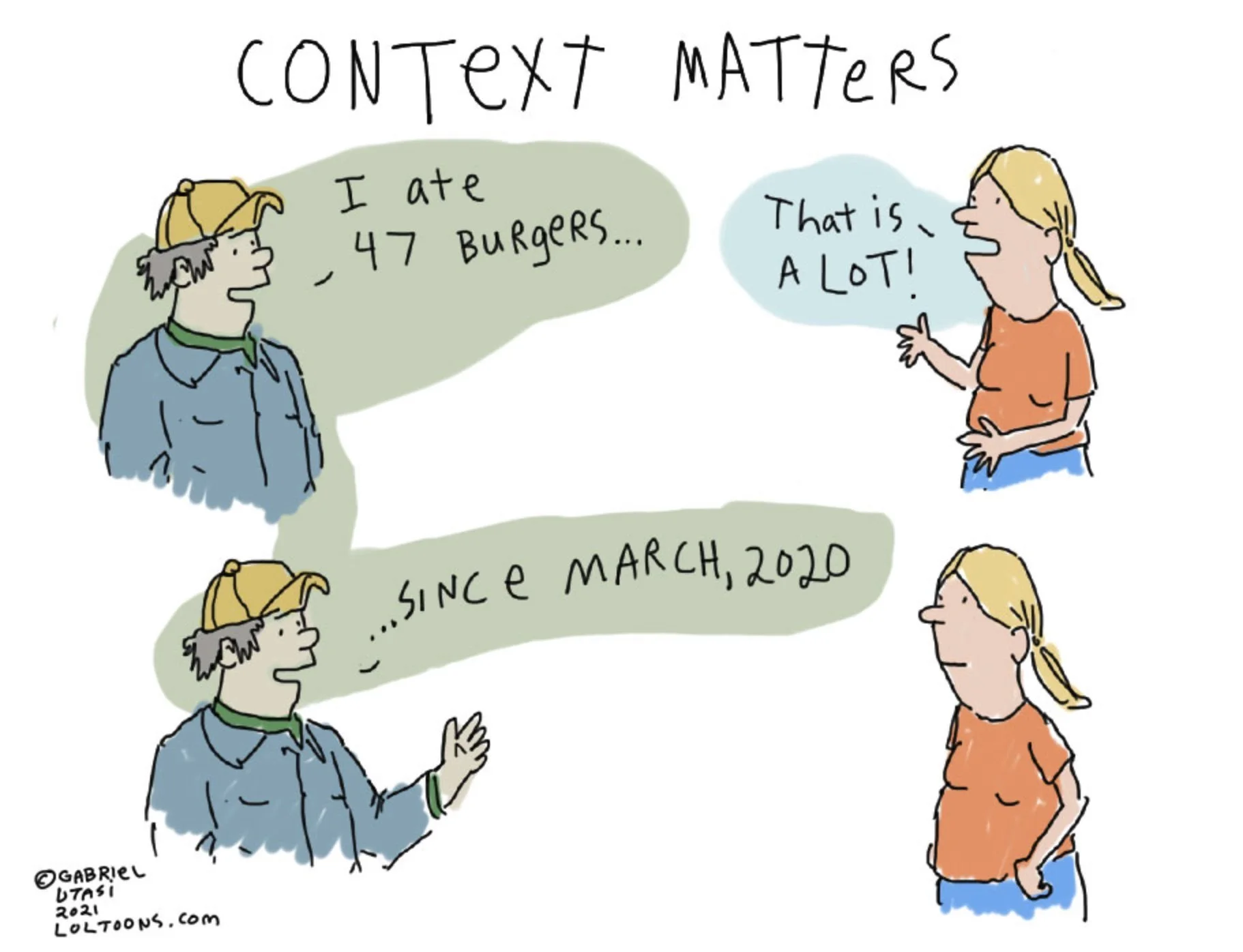
Comic courtesy of Gabriel Utasi
They say you don’t know what you don’t know; this is called the Dunning-Kruger effect. In the above examples, the AI tool didn’t understand that my first client didn’t know the right vocabulary to write the prompt. In the second example, the tool in question spit out a standardised report based on what it was programmed to do. These answers were provided in a vacuum; they were missing valuable context.
This is why, if you are going to use AI tools, you need to give them as much information as possible. Otherwise, you can end up with convincing sounding - yet incorrect or inappropriate - answers. However, you need to bear in mind that even if you were to spend hours inputting into your favourite AI tool the entire history of your business, your own knowledge, and anything else that you think is contextually appropriate, the AI tool is still not using any judgment. At a technical level, the model is estimating:
“Given this question and context, what tokens (words) are most likely to come next in a helpful, coherent answer?”
Read that again: “what words are most likely to come next”, not “what is the best answer in this situation”. According to ChatGPT, the answer is based on probability of usefulness, not truth or importance. This last word is key.
What Not To Do Number 2: Wasting money building things that aren’t important or relevant
Recently I and fellow web designer colleagues have started to see our clients supplying briefs to us that were clearly written by an AI tool. Sometimes it’s just a straight copy/paste direct from ChatGPT, Claude or other AI, with all of the hallmarks of AI writing. Other times, at least the client made a halfhearted stab at personalising the brief in some way. But what’s happening again and again is that these briefs are soulless checklists. They give a huge list of things to include or build, without any explanation why it matters specifically to you. They explain the ingredients that should go into the website, but there’s no flavour profile or flair to the recipe. Should the cheese be the star of the show, or should the spices play the lead? Are we in a cosy bistro or a Michelin-starred restaurant? Are you sure you want to use that much truffle, when it’s so expensive and can be overwhelming? Unless your AI tool knows your niche, your USP, your audiences, your brand’s overall vibe, your internal team’s capabilities, and many other factors, it’s going to be hard to make a dish/website that really hits the spot.
Following these briefs will give you a perfectly adequate website that functionally does the job, but is perfectly adequate what you really want for your brand? More importantly, is that what will make your customers choose you and not someone else? And, are these really the things that are valuable for you to spend your money on, or are you just blindly following the AI’s checklist?
Following briefs like this changes the role of your web designer from a strategic partner to an implementor. It’s not the best use of our skillset, and it can suck the creativity out of the job. A good designer will be able to work with you to extract what’s really important, come up with something that hits your specific target perfectly - and the project is likely to be a lot more interesting for everyone.
AI sounds credible, but isn't always logical
AI answers have been designed to sound authoritative and knowledgeable. Remember, all of these AI tools are products that have been specifically created to generate revenue for someone. And if you think those people aren’t using psychology to make those tools sound more believable, more engaging and more trustworthy - specifically to get you to use them more - then you are kidding yourself. This is big business.
Plus, these tools have been programmed on training data and human reviewers that are likely to exhibit Western white male bias. Anyone who understands patriarchal dynamics can recognise that the AI tone of voice sounds a lot like what you hear from a man in a position of authority based on confidence rather than competence. This can lead to users placing unwarranted trust in AI.
There’s no better illustration of this point than the AI tests that Phi Nguyen is running and publishing all over social media. In the example shown here in this YouTube video, he prompts ChatGPT: “I need to wash my car, and the car wash is 100 metres away. Should I walk or drive?” ChatGPT then goes on to explain how for such a short distance, walking is the right choice - and even doubles down when Nguyen pushes the fact that the car needs to get washed.
Nguyen runs dozens of these kinds of tests across all the main AI platforms, and they repeatedly give highly credible sounding answers that defy human logic. Confidence, not competence.
Plus, AI results have been shown to have errors in 45% of cases - not to mention that it is remarkably easy to “poison” AI with false information that then gets repeated confidently as truth. Trust AI at your peril.
What Not To Do Number 3: Ignoring the bigger picture & setting yourself up for future problems
Some of my fellow designers and I have started to see clients copy/pasting code generated by AI tools into their website. In one extreme example, the client replaced their entire Squarespace website with one huge code block that had been generated by an AI tool. While there’s nothing inherently wrong with vibe coding, everything has its time and place. I can tell you for sure that the company who replaced their entire website with thousands of lines of code is going to run into problems further down the line when they need to change even a word or two on their website.
In other cases, I have been asked by a client to fix something that was created by AI, such as making tweaks to a logo that had been generated by AI. The client doesn’t realise that the (rather generic) logo provided by AI was a low-resolution JPG file, and that I would basically need to totally recreate the logo in a vector program to make the logo usable on the website and be able to make the types of changes they wanted. Or, when asked to change the appearance of a vibe-coded widget, that it would take lots of unravelling and reknitting of code, which takes much longer when you haven’t written the code yourself. I’ve also been asked to change something that had been implemented using AI code in a hopelessly convoluted way, when there was an obvious, much simpler method for getting the same result - one that would have been much better for web accessibility and usability.
AI can do a decent job of giving you a solution that approximates what you have asked for, to solve the immediate problem you have asked about. But it is highly unlikely to give you a solution that will stand up to the natural evolution that a website used by humans needs to go through. AI can’t see the bigger picture and the way you need to run your business. Because AI doesn’t care about your business - even if it has been programmed to sound like it does.
The hidden cost of AI & the understanding gap
I’m sure that the company who replaced their entire website with AI-generated code did it because they thought it would be cheaper than paying their web designer/dev to update it. But when that vibe-coded website doesn’t work properly on mobile devices, fails accessibility guidelines, or needs a minor tweak, the client will be stuck - either looking for a human to step in to fix the AI mess, or spending hours trying to input various things into that AI tool in the hopes that something will work and fix it. Anyone who has experienced an AI tool going off on a tangent - for example, replacing a person in a photo even when asked specifically not to - will know that asking AI to redo something is time-consuming and frustrating. These are hours that take that person away from actually running their business. Hours that cost intangible money. And when my client’s generic AI-generated branding fails to resonate meaningfully with prospects, who knows how many opportunities could be lost to the competition. Not to mention the money that could be saved for a client by implementing a right-sized web brief instead of throwing everything the AI tells them to at it.
Image courtesy of Wikimedia Commons
But the real cost of using AI ineffectively is what has been called the understanding gap. You get an answer, without understanding why it works or not. You get some code, without understanding if it’s actually fit for the job. You get a website brief, without understanding if it’s appropriate or cost-effective. Relying on AI tools for business-critical functions is risky, because there’s no one to validate what it’s telling you.
There’s another kind of understanding gap happening in entire industries where AI is replacing humans doing entry level work. Doing entry level work is where you learn the nuances of the industry, grow your skills and expand your knowledge. Today’s entry level worker is tomorrow’s manager. Replacing entry level workers with AI seems incredibly short-sighted to me. Where will tomorrow’s managers be without the hard graft under their belt to give them a deep understanding of the work and make them more holistic managers? Will there even be enough good managers to go around? A much better strategy is to leverage AI to help people up and down the hierarchy do things faster, thus freeing up time for more valuable or creative tasks.
How to use AI the right way for websites
You might be thinking I’m an anti-AI evangelist by now, but I’m not. Although I do struggle with the environmental and social impact of AI, I’m mainly just tired of seeing business owners blindly following AI recommendations without considering what doing so means for their business. With that in mind, here are my tips for the right way to use AI for websites and other business functions.
1. Use AI memory and learning features to give as much context as possible
If you’re just opening a new conversation every time with your AI tool, then you are likely missing out on providing the context that can help the tool give you better answers. You might even have to keep repeating yourself on contextual points. Make use of your preferred tool’s functions such as Projects/Spaces where you can upload business documents including branding guidelines, reports and other material that the model can learn from. You can even build custom bots to perform specific roles/tasks for you, if you have the time and willingness to learn to get everything set up the way you want it.
2. Use AI to generate starting points, not finished work
Because AI can draw from millions of sources, it can often approach tasks differently than you might, providing ways of thinking that you may not have considered. For this reason, AI can be a great helper when you are faced with the “blank canvas” syndrome and need something to help get you started, such as writing a blog post. As mentioned earlier, remember that whatever AI produces is based on probability of usefulness, not truth or importance. And that probability can result in the most common answer, not necessarily the one that is right for your specific situation, brand tone of voice, or audience. AI writing often sounds generic, because of its weighting toward the most commonly used words. This is why you shouldn’t just take whatever it produces as the definitive solution and run with it.
Another tip is to run things back through that or another AI tool. Sometimes mistakes can be caught in this way.
3. Use AI for low risk situations, not business-critical functions
AI is great for doing research or exploring the options that are out there for something, especially for things with established solutions. So if you are wondering what to include on your About page, or how to optimise your photos so they load quickly on your website, these are questions that AI can help with.
The rule of thumb is that if getting things wrong doesn’t cost your business anything but the time you spent, then that’s the perfect time to call on AI. But if you are tackling a complex problem, making a strategic decision, or producing something that needs nuance and care, then AI is not my recommendation. It might be time to call in an expert. A perfect example of this is anything to do with legal issues. The cost of getting it wrong can be dire.
AI can get even really basic things wrong - heck, it can’t even tell which days of the week contain the letter D - so I strongly recommend against letting it make business-critical decisions for you.
4. Don't think of AI as a cost saver; use it as a time saver
Putting the cost to the planet/society and subscription/token fees aside, many people believe that AI can save them money. Just remember that while this might be true initially, relying on AI can have hidden costs further down the line… especially if you ignore my points above. A better way to look at would be that you might be able to have a more extensive, robust or considered website for the same money, as opposed to being able to slash your website budget. See point 5 below.
What AI can definitely save is time. It can help you with time-consuming repetitive tasks such as:
writing alt text for all of your photos, for accessibility and SEO
generating page meta descriptions for SEO
creating bullet-point summaries of all of your blog posts for AIO
generating schema markup code injections for your pages for AIO
- but don’t forget to factor in the time that will be needed for you to check everything that the AI tool has done, as per point 2 above.
5. Combine it with an expert when you can
By far the best way to use AI when it comes to websites is to make use of both AI and your trusted expert, not AI in isolation. AI doesn’t have and cannot use judgment. AI cannot adequately evaluate or validate a solution against your specific scenario. An expert doesn’t just spit out the most probable answer to your question, they dig deeper to understand your problem in your unique situation.
An AI tool can give you a strategy document or web brief that ticks all of the boxes on paper, but it can’t implement it. And implementation is where things get messy and compromises inevitably need to be made, whether it’s due to internal stakeholders, platform limitations, lack of skill/time/money, or other factors.
A great example of the combined approach is a client who is expanding his offering into a specific vertical that he hasn’t focused on before. He worked with his AI tool on research and came to me when he had a content rough draft and outline of his plans. I was able to interrogate certain things that the AI had recommended, push back on a couple of points, and guide him into a direction that would be easier for him to manage moving forward.
The use of AI in the early stages saved him a lot of research, planning and draft copywriting time. This meant he spent less time trying out various untested ideas, and we could instead work from the bare bones of a plan to sense-check and flesh out. Asking me to work with him to hone the plan, rather than just implement the first thing the AI spit out, has saved him future admin time, ensured that it is more aligned with his overall business objective, and is something that he can easily replicate into other new markets if he needs to.
Final thoughts
There’s a lot of hype around AI right now, with people predicting that AI will replace web designers. The thing is, AI lacks true creativity. Most of the output of AI is the world of “should”, the world of the expected. Creativity is often the surprising or unexpected. And as of right now, the more creative the AI models are programmed to be, the less accurate they become. True creativity is about a solution that delights or surprises, but still hits the target.
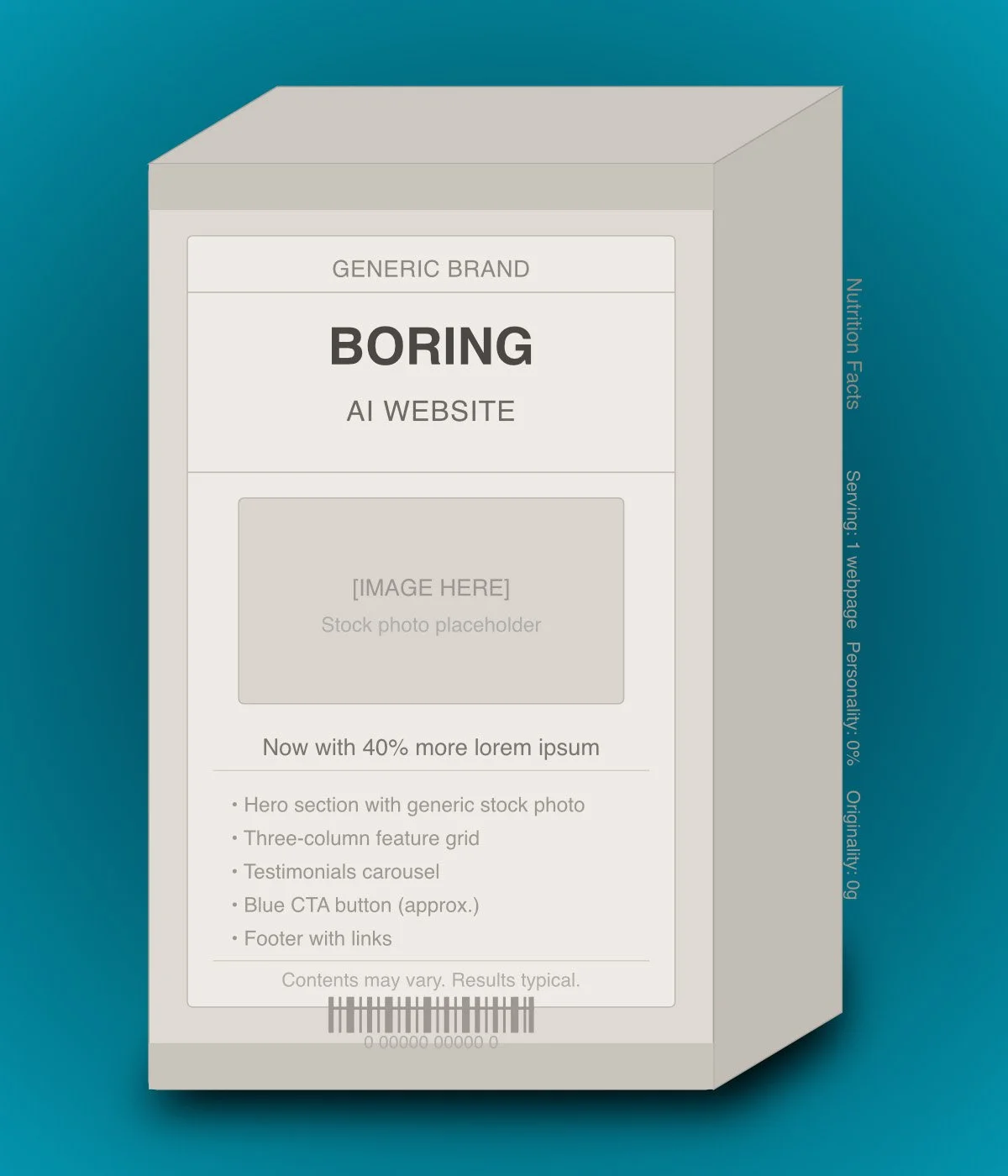
Having been in the web industry for over 20 years, it’s actually funny to see the recent trend of moving away from user-friendly website builder platforms such as Squarespace, Wix etc and toward the pure code approach of vibe-coding a website. We’ve been there before, without the vibes. All websites used to be hand-coded. There’s a reason we moved away from that. Pure code websites are not easy or inexpensive to manage or maintain. The industry moved away from that to give power and control to the business user. Vibe-coding takes all of your control away. And getting it back might cost you even more than if you had simply hired a competent web designer in the first place.
So yes, you can get a cheap and fast website from an AI tool, but it will be basic, soulless and generic, and will lack longevity. That may be good enough for some, but in a highly competitive market, you’re not going to stand out. And the money you saved will likely be eaten up by the hours you’ll spend trying to tame that beast.
Overall, I do see my role changing. Over the last decade, a lot of my job has been cleaning up DIY websites on website builder platforms. I think moving forward, I will be cleaning up a lot of AI messes. Unfortunately, I’m going to need a bigger mop. The mess AI can make is a lot more complicated than a DIY website.
I’ve also done a lot of training and coaching people over the last decade, helping them use website tools more effectively. So now I expect to be training and coaching people on writing better AI prompts and showing them how to make better use of AI tools. I hope this article has made some steps in that direction.
P.S. Did you know that you can book a quick 30-minute chat with me to go through anything you’re struggling with? Whether you want to sense-check something that AI has told you, get advice on how to approach something, or do a hands-on quick fix, you can book a Quick Help Session for 30 minutes (or longer hour(s) sessions) directly into my diary.