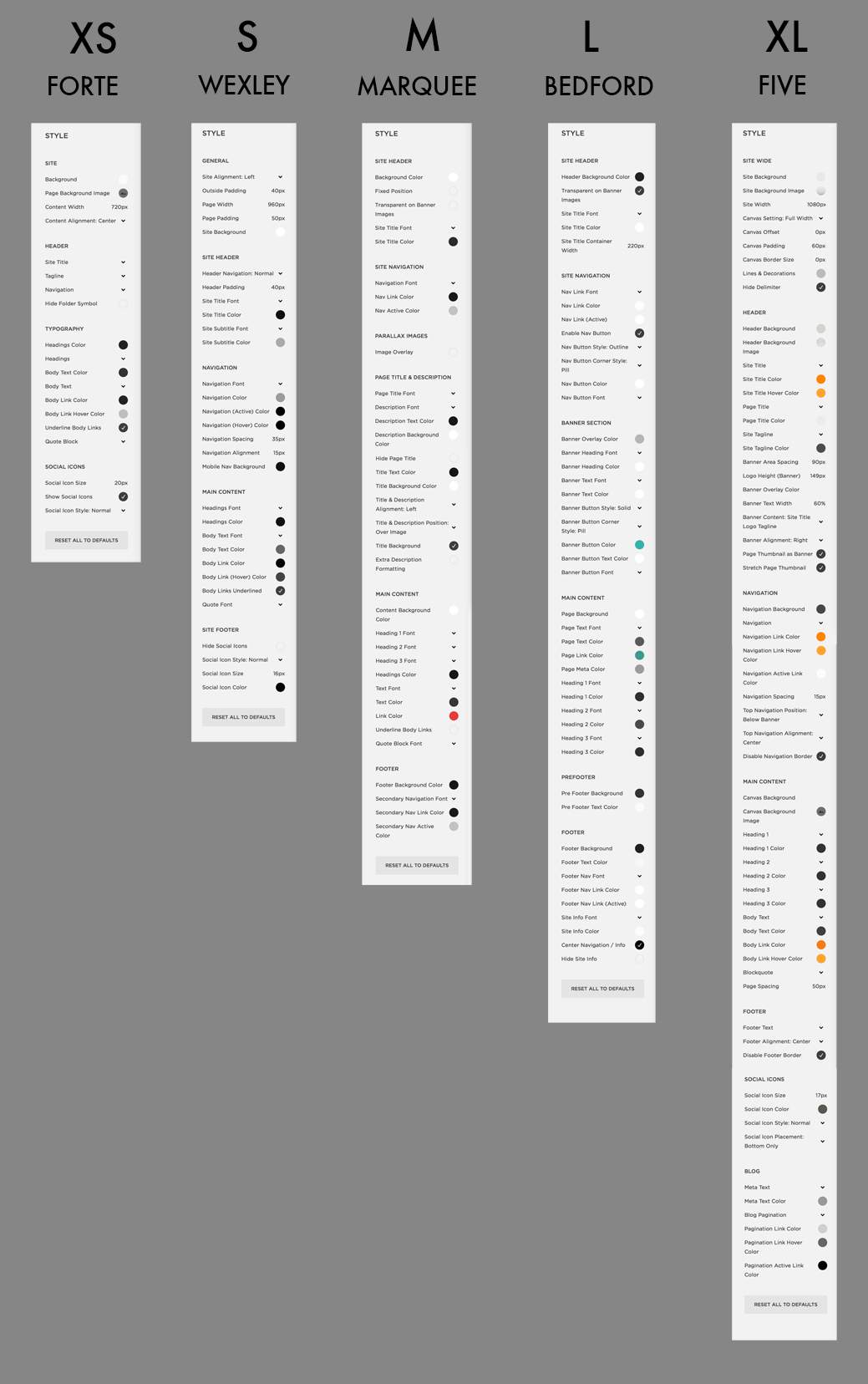
Squarespace Control Scale
What does S, M, L mean in terms of Squarespace style control?
Here is an image showing the size of the default Style Editor on certain Squarespace templates, to demonstrate what I mean in my Squarespace Template Comparison Chart when I say XS, S, M, L or XL is the level of style controls you have. This is just the default Style Editor panel that relates to all pages. Many templates have other styles that appear in the panel when you are looking at a special page type, such as a Gallery or Products page. But this will give you some idea…